

How to add a launcher
A launcher is an app definition that LabPod can start inside a running workspace: JupyterLab, code-server, TensorBoard, MLflow, Streamlit, and similar tools.
There are three related workflows:
- Add a launcher to one of your private workspace templates.
- Ask an admin to add a reusable launcher to the global catalog.
- Expose a one-off app from a running workspace with Extra apps.
Add a launcher to your workspace template
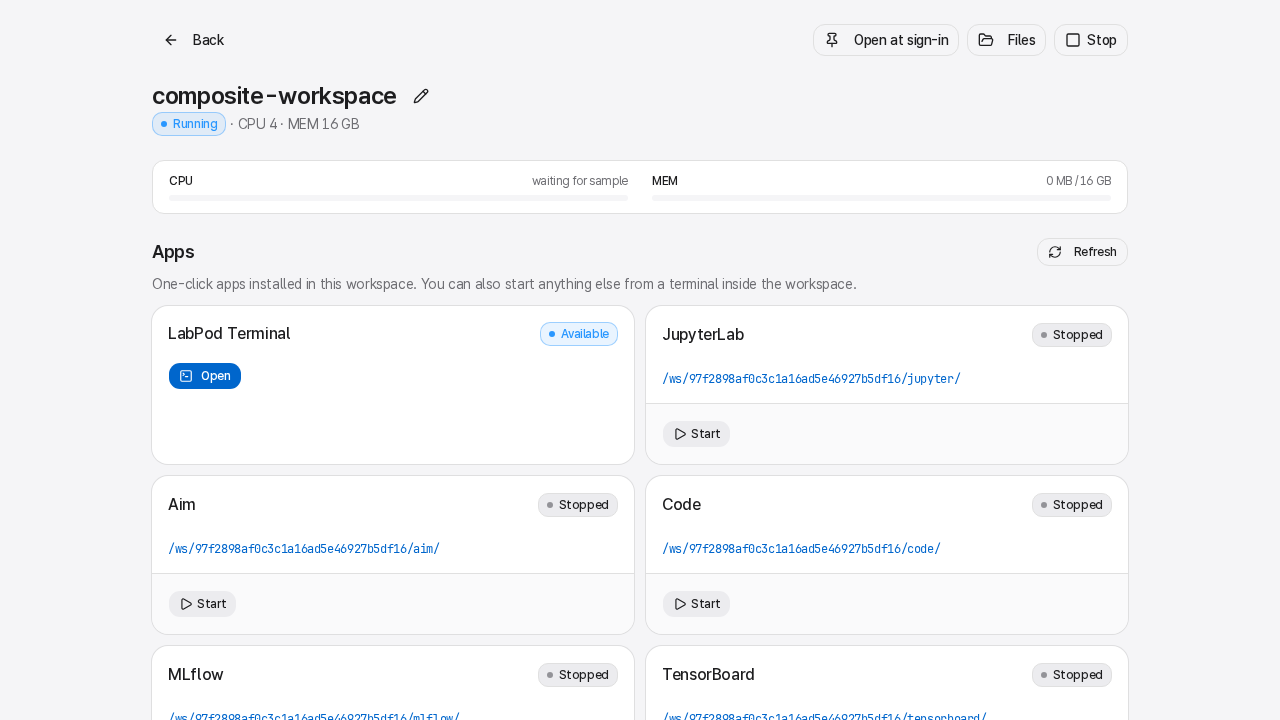
Section titled “Add a launcher to your workspace template”Use this when you own the workspace template and want every new workspace from that workspace template to show the app under Manage workspace → App controls.
- If the workspace template does not exist yet, open the Advanced tools menu → Workspace templates → My workspace templates and create it.
- Open the Advanced tools menu → Workspace templates → My workspace templates.
- Select your workspace template.
- In the Ports section, click Import launcher.
- Pick a launcher from the catalog.
- Mark one launcher as Primary if that app should be the main app for the workspace template.
- Click Save.
- Create a new workspace from the workspace template.
Importing a launcher copies the catalog definition into your workspace template. Later catalog edits do not rewrite your workspace template.
Add a manual launcher
Section titled “Add a manual launcher”Use a manual launcher when the catalog does not have the app yet.
- Open the Advanced tools menu → Workspace templates → My workspace templates.
- Select your workspace template.
- In Ports, click Add port.
- Set Name to a lowercase identifier such as
streamlitorgradio. - Set Label to the display name.
- Set Container port to the app’s normal port, such as
8501for Streamlit. - Open the advanced launcher fields.
- Fill in Command template, Probe command, Readiness path, and Install hint.
- Save the workspace template.
For launchers, the command must bind to ${HOST_PORT}. LabPod assigns this port at runtime.
Example Streamlit command:
streamlit run ${SCRIPT} --server.address=0.0.0.0 --server.port=${HOST_PORT} --server.baseUrlPath=${BASE_PATH_NO_SLASH} --server.headless=trueExample option schema:
{"fields":[{"name":"SCRIPT","type":"file","label":"App script","default":"/work/app.py","required":true}]}Useful command tokens:
| Token | Meaning |
|---|---|
${HOST_PORT} | Runtime port the app must bind. Required for launchers. |
${BASE_PATH} | Proxy path including the trailing slash. |
${BASE_PATH_NO_SLASH} | Proxy path without the trailing slash. |
${AUTH_TOKEN} | Per-launcher token for supported credential-aware apps. |
${AUTH_TOKEN_SHA256} | SHA-256 form used by code-server password auth. |
| Option keys | Values from the option schema, such as ${SCRIPT} or ${LOGDIR}. |
The Probe command is the executable LabPod checks inside the container, for example
streamlit, jupyter, or tensorboard. If the probe is missing, the launcher card shows the
install hint instead of a Launch button.
The built-in MATLAB workspace template is an example of ${AUTH_TOKEN} protecting a native app credential:
its command template sets matlab-proxy’s own MWI_AUTH_TOKEN=${AUTH_TOKEN} and keeps
MWI_ENABLE_TOKEN_AUTH=True, so matlab-proxy’s vendor auth stays on behind LabPod’s proxy instead
of being turned off in favor of the LabPod session alone.
Make the image include the launcher
Section titled “Make the image include the launcher”A workspace-template launcher only works if the image contains the app binary. For a private workspace template, edit its Dockerfile and install the app there.
Example:
RUN pip install --no-cache-dir streamlitThen build the workspace template image and create a new workspace from that workspace template. If an existing workspace uses an older image, recreate it or install the missing package inside that workspace and click Refresh under Manage workspace → App controls.
Ask an admin to add a reusable launcher
Section titled “Ask an admin to add a reusable launcher”Only root admins can edit the reusable catalog, under the admin Workspace templates area’s
Launchers page (/admin/launchers).
The admin creates the launcher once with:
- Name and Label.
- Container port.
- Command template using
${HOST_PORT}. - Probe command.
- Readiness path.
- Install hint.
- Optional JSON Option schema.
- Optional Proxy strips prefix for apps such as code-server that do not support a base path.
After it is saved, users and admins can import it into workspace templates. Existing workspace templates are not changed automatically.
Expose a one-off app from a running workspace
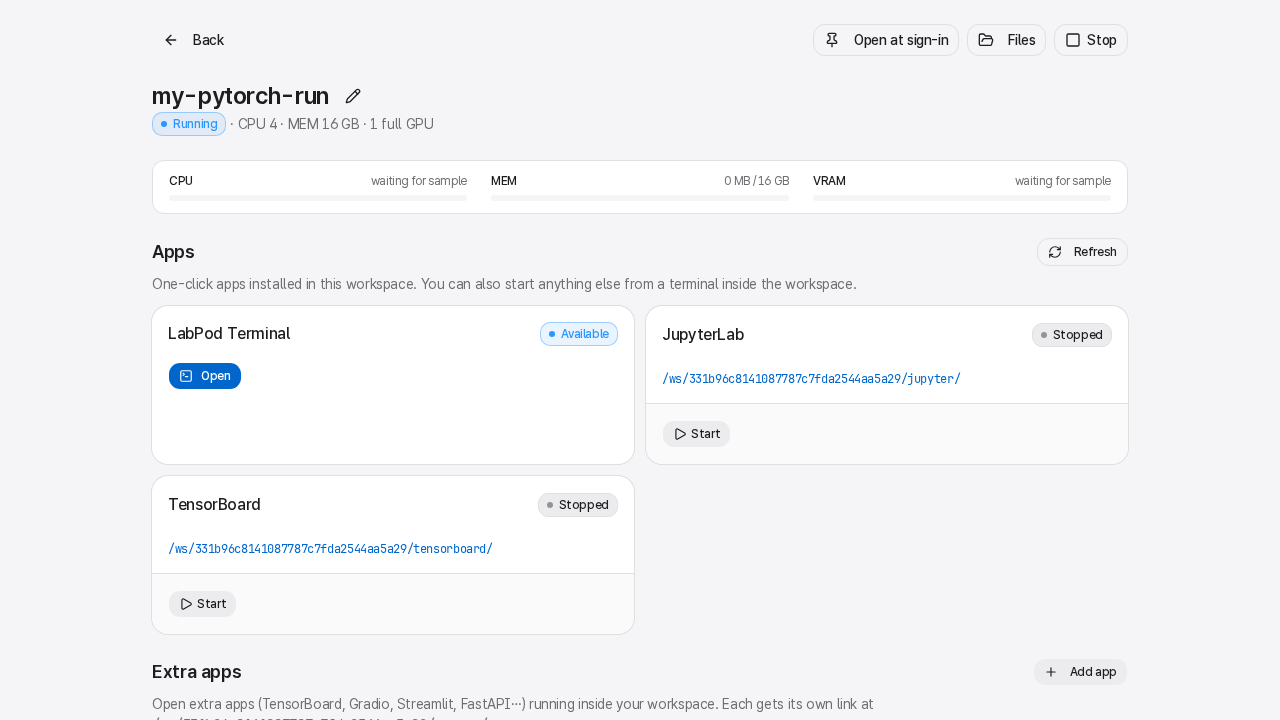
Section titled “Expose a one-off app from a running workspace”Use Extra apps, under Manage workspace, when you do not need a reusable workspace-template launcher.
- Start the workspace.
- Open the workspace detail page and expand Manage workspace.
- In Extra apps, click Add app.
- Pick a preset or enter a custom name.
- Start your app inside Terminal and bind it to the assigned port.
- Click Open on the Extra apps card.
For example:
streamlit run app.py --server.port $LABPOD_USER_PORT_1Extra apps are per-workspace. They are a good fit for experiments; workspace-template launchers are better for repeatable tools you want on every new workspace.